Draw the menu. That is the menu.
Drag out what a customer is offered and where each choice leads. What you draw is what runs.
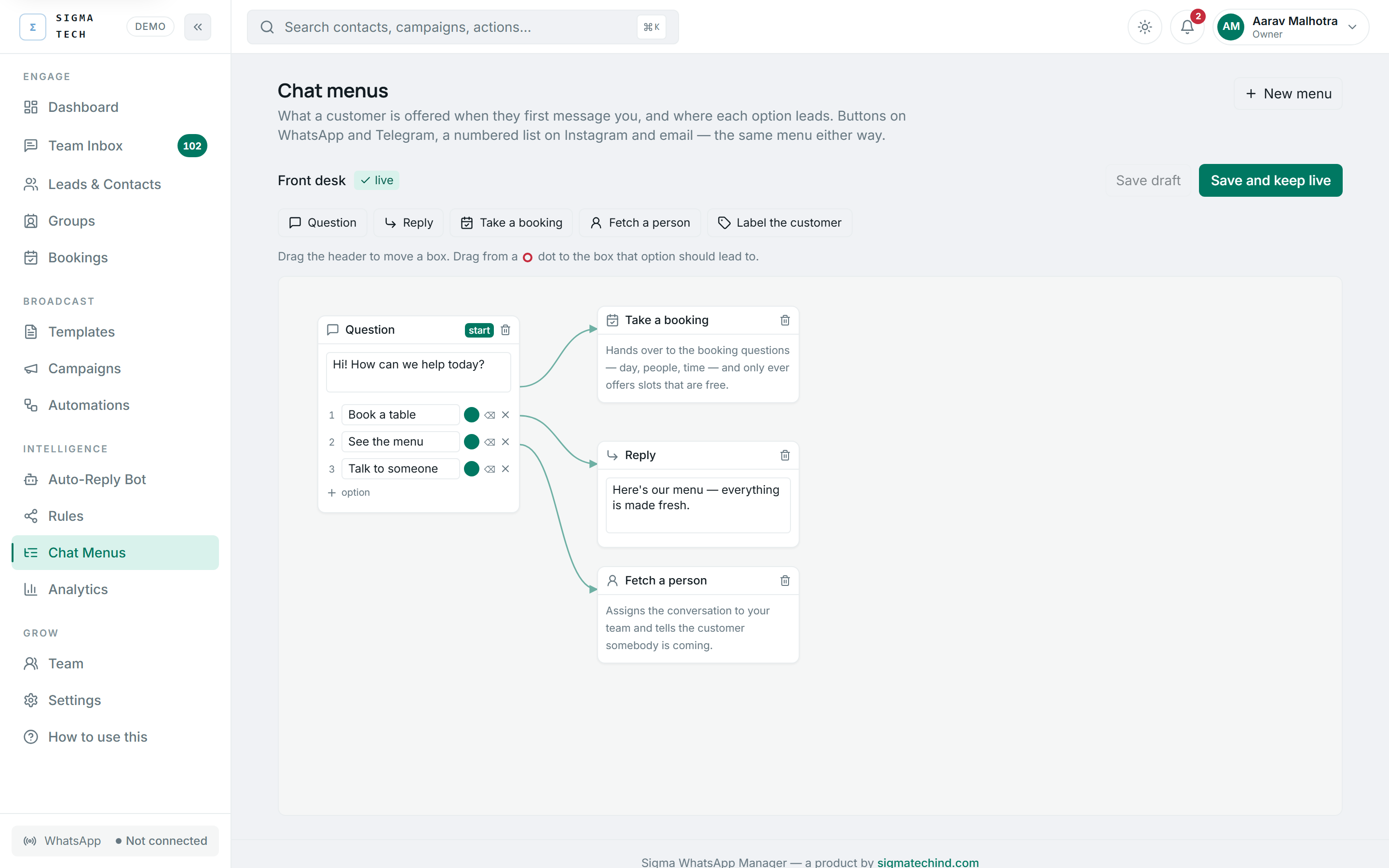
Chat Menus, in the console. Not a mock-up.
- No setup fee
- No per-message markup
- Seats included
- Cancel any time
- Your data stays yours
- No sales call required
What it does
No separate build step
The canvas edits the thing that executes. A node's options are what gets sent; joining two boxes sets where that choice goes. The picture cannot drift from the behaviour.
One menu, every channel
Buttons on WhatsApp and Telegram, a numbered list on Instagram and email. You define it once and each channel renders it the way it can.
A half-built menu saves, but cannot go live
Nobody builds one in a single pass. But an option leading nowhere strands a real customer mid-sentence, so a broken menu is a draft until it is fixed.
It hands off to the real features
An option can start the booking flow, fetch a person, or tag the customer. The menu gets them to the right place; the features do the work.
Why it works this way
Why a canvas was built twice
One existed here before and was deleted, because its boxes held display text — a condition read as a label with nothing a machine could evaluate. No flow ever ran. This one edits the executable graph directly, which is the only version worth having.
Questions
What if a customer types something unexpected?+
They are asked once more, then handed to a person. A menu that repeats itself is how somebody decides the business is a robot.
Do I need a menu at all?+
No. The AI agent answers without one. A menu is for when you want to steer the first message somewhere specific.
The rest of it
Set it up this afternoon
Sign up and the console is waiting. Connect a channel when you are ready — nothing is locked behind a sales call.